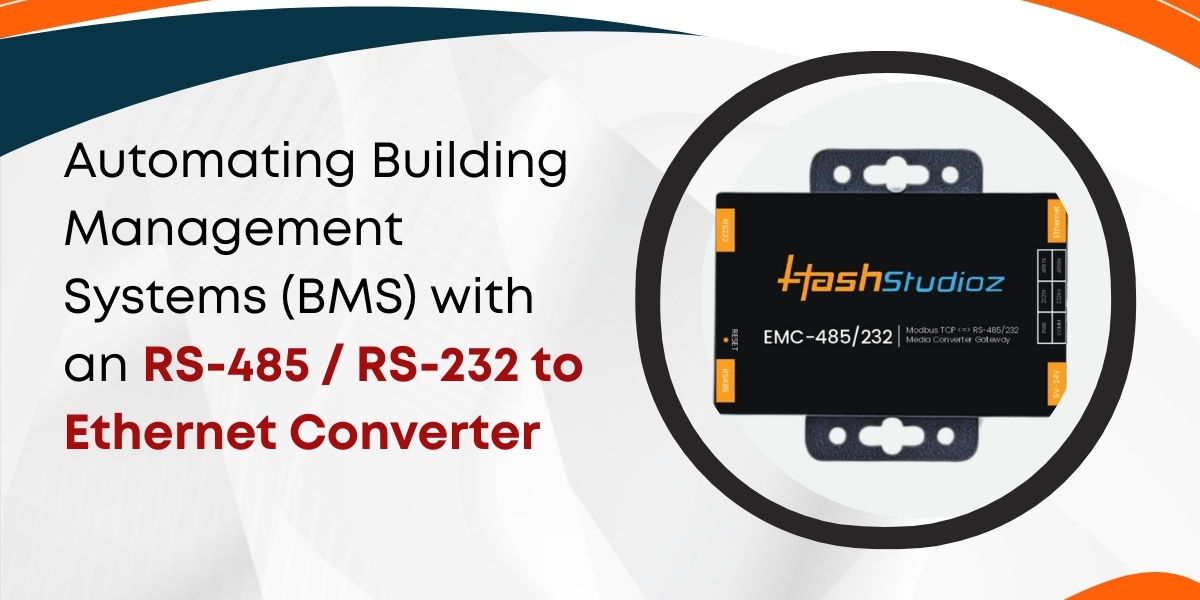

Modern buildings rely on multiple systems to operate safely and efficiently. These include heating, ventilation, air conditioning (HVAC), lighting, security, and power systems. Each system often uses its own communication standard. Many of these standards were not designed for modern Ethernet networks. This limits data sharing and automation possibilities.
A solution to this challenge is the use of an RS-485 / RS-232 to Ethernet Converter. These converters help connect legacy devices to Ethernet networks. They bring advanced monitoring, remote control, and automation into Building Management Systems (BMS). This article explains how converters work, why they matter, and how they help in real building automation.
What Is a Building Management System (BMS)?
A Building Management System (BMS) is a centralized system. It monitors and controls a building’s electrical and mechanical equipment. It may include:
HVAC
Lighting
Power distribution
Elevators
Fire and safety systems
Security cameras
A well-designed BMS can reduce energy use by up to 30%, according to the U.S. Department of Energy. It can also extend equipment life and improve occupant comfort. Many BMS devices communicate using serial protocols like RS-485 and RS-232. These were reliable for standalone systems. But they struggle in modern, networked environments.
What Are RS-485 and RS-232 Protocols?
1. RS-232
RS-232 is one of the oldest serial communication standards. It originated in the 1960s. It features:
Point-to-point connections
Single transmitter and receiver
Low data rates (up to 115.2 kbps)
Short maximum cable length (~15 meters)
RS-232 remains common in real-time clocks, meters, and controllers.
2. RS-485
RS-485 was developed for industrial environments. It allows:
Multi-drop communication
Balanced signal lines for noise resistance
Longer cable lengths (up to 1200 meters)
Higher data rates (up to 10 Mbps over short distances)
RS-485 is widely used in HVAC controllers, meters, and environmental sensors.
While both protocols work well locally, they are not suitable for modern Ethernet networks. That is where a converter plays a key role.
Why Automation Matters in BMS
Automation improves how buildings operate. It reduces manual tasks. It enhances system performance and lowers costs.
1. Energy Savings
Buildings consume about 40% of global energy. Automated systems can optimize energy use in real time. Automation adjusts temperatures, lighting, and fan speeds based on occupancy.
2. Improved Comfort
Automation keeps indoor conditions stable. It avoids over-cooling, over-heating, or unnecessary lighting.
3. System Visibility
With automation, managers view system performance remotely. They can respond quickly to alarms and faults.
4. Cost Reduction
Effective automation cuts labor and utility costs. It also extends equipment life through better control.
What Is an RS-485 / RS-232 to Ethernet Converter?
An RS-485 / RS-232 to Ethernet Converter is a device that translates serial signals into Ethernet packets. It connects legacy serial equipment to modern networks.
It usually features:
One or more RS-232 ports
One or more RS-485 ports
Ethernet RJ-45 port
Power supply
Protocol support (TCP/IP, UDP, Modbus, etc.)
Some vendors supply converters with web interfaces and management tools.
A similar device is the RS-232 to Ethernet Converter. It handles only RS-232 signals, making it suitable for equipment that does not support RS-485.
How Converters Work in a BMS
Converters act as bridges. Here’s how they work in typical environments:
1. Connect Serial Devices
Controllers and sensors communicate over RS-232 or RS-485.
2. Converter Translates Signals
The converter converts serial data into Ethernet data. It encapsulates messages into TCP/IP packets.
3. Devices Join the Network
Converters connect to Ethernet switches or routers. This allows serial devices to become network devices.
4. BMS Software Reads Data
Central BMS software polls or receives messages from devices. It reads data over the network.
5. Automation Rules Apply
Once data is on the network, automation logic can act. For example:
Adjust HVAC based on temperature
Turn off lights when rooms are empty
Send alerts on abnormal conditions
Benefits of Using Serial-to-Ethernet Converters
Converters provide clear advantages in BMS applications.
1. Integration of Legacy Equipment
Many buildings rely on older controllers. Replacing these devices is expensive. A converter can extend their life. It brings them into a modern network without costly hardware replacements.
2. Centralized Data Collection
Serial devices previously stored data locally. A converter sends data to a central server. This gives managers a real-time view of conditions across the building.
3. Remote Access and Control
Once on an Ethernet network, devices can be accessed remotely. Technicians can view and control equipment from distant offices. This reduces onsite visits and travel costs.
4. Faster Response to Alarms
Converters allow real-time data updates. If a sensor reports an abnormal condition, the BMS can alert staff immediately. Early warnings reduce downtime and breakage.
5. Scalability
Ethernet networks expand easily. Adding new devices requires minimal cabling and configuration. Many Ethernet switches support hundreds of connected devices.
Technical Considerations When Selecting Converters
Choosing the right converter is crucial. Here are key factors:
1. Protocol Support
Ensure the converter supports the required protocols. In BMS, common protocols include:
Modbus RTU
BACnet MS/TP (if supported over serial)
DNP3
Proprietary protocols
Not all converters support these standards natively. Some have protocol conversion features.
2. Data Throughput
Serial speeds are lower than Ethernet. The converter must buffer and manage data efficiently.
For example:
Protocol | Max Serial Speed |
RS-232 | 115.2 kbps |
RS-485 | 10 Mbps |
Converters must handle bursts and manage flow control.
3. Network Topology
Consider where devices are located. RS-485 supports long cables. But converters often sit close to network hubs. Planning cable lengths, grounding, and interference is necessary.
4. Environmental Conditions
Converters may sit in equipment rooms or exposed environments.
Look for:
Industrial temperature ratings
Surge protection
EMI shielding
DIN-rail mounting
These help reliability in harsh conditions.
Real-World Examples of BMS Automation with Converters
1. HVAC in a Large Office Building
An office building had hundreds of HVAC controllers. They operated independently. Technicians measured temperature manually every week. The facility installed RS-485 controllers connected to Ethernet via converters.
The result:
HVAC adjustments became automatic
Energy use dropped by 18% in the first year
Comfort complaints reduced by 40%
2. Lighting Control in a University Campus
A campus relied on manual switches and timers. This caused wasted energy and security issues.
A network of controllers using RS-232 connected to a central server through converters. The system now:
Turns lights on/off based on schedules
Adjusts lighting for occupancy
Reduces lighting costs by 22% annually
3. Power Metering in a Hospital
A hospital had power meters with RS-485 output. Engineers deployed converters to send usage data to a central database.
They then:
Tracked power use in real time
Detected inefficiencies
Shed noncritical loads during peak demand
This resulted in 15% lower peak demand charges.
Security Considerations
Adding devices to an Ethernet network introduces security risks. Converters must be configured securely.
Key practices include:
1. Network Segmentation
Place BMS traffic on a separate VLAN. This isolates critical systems from general IT traffic.
2. Authentication and Encryption
Use VPNs and secure tunnels when communicating across networks. Some converters support encrypted sessions.
3. Access Control
Limit access to authorized users. Implement role-based permissions.
4. Regular Updates
Keep firmware up to date. Updates improve security and fix bugs.
Performance and Latency Factors
Converters introduce minimal delay. But designers must account for:
Serial protocol overhead
Ethernet congestion
TCP/IP handshaking
Latency is typically in the low milliseconds range. For most BMS tasks, this is acceptable.
For example:
Temperature polling every second does not require sub-millisecond latency.
Real-time control loops might need specialized controllers closer to the device.
Converters are not replacements for dedicated real-time controllers. They are tools for data transport and network integration.
Cost Benefits of Using Converters
Converters can reduce project costs significantly.
1. Equipment Savings
Replacing serial devices is expensive. Converters allow existing devices to remain in service.
2. Cabling Costs
Ethernet and converters reduce the need for long serial cables. Ethernet cabling supports multiple converters with a single infrastructure.
3. Labor Savings
Installing converters is faster than replacing devices or rewiring networks. This reduces labor costs.
4. Energy Savings
Automation results in lower energy use and utility bills.
Future Directions for BMS Communication
The trend in BMS is clear. Building systems are becoming more connected and intelligent.
1. IP-Native Devices
New devices support Ethernet natively. Over time, fewer systems will require conversion.
2. Cloud Integration
Many BMS solutions now offer cloud connectivity. This allows remote monitoring and analytics.
3. Wireless Options
Wi-Fi, LoRaWAN, and 5G are gaining interest for sensor connectivity. However, serial converters remain relevant for existing devices.
Conclusion
The use of an RS-232 to Ethernet Converter brings modern automation to buildings with legacy devices. It allows serial controllers and sensors to join Ethernet networks. This enables centralized monitoring, remote access, and real-time automation. Converters provide integration, scalability, and cost savings. They help facility managers collect data from multiple systems. They also support energy savings and improved comfort. While security and performance must be managed carefully, converters are powerful tools in building automation. They support modernization without costly device replacement. They help buildings become smarter, more efficient, and more responsive.